

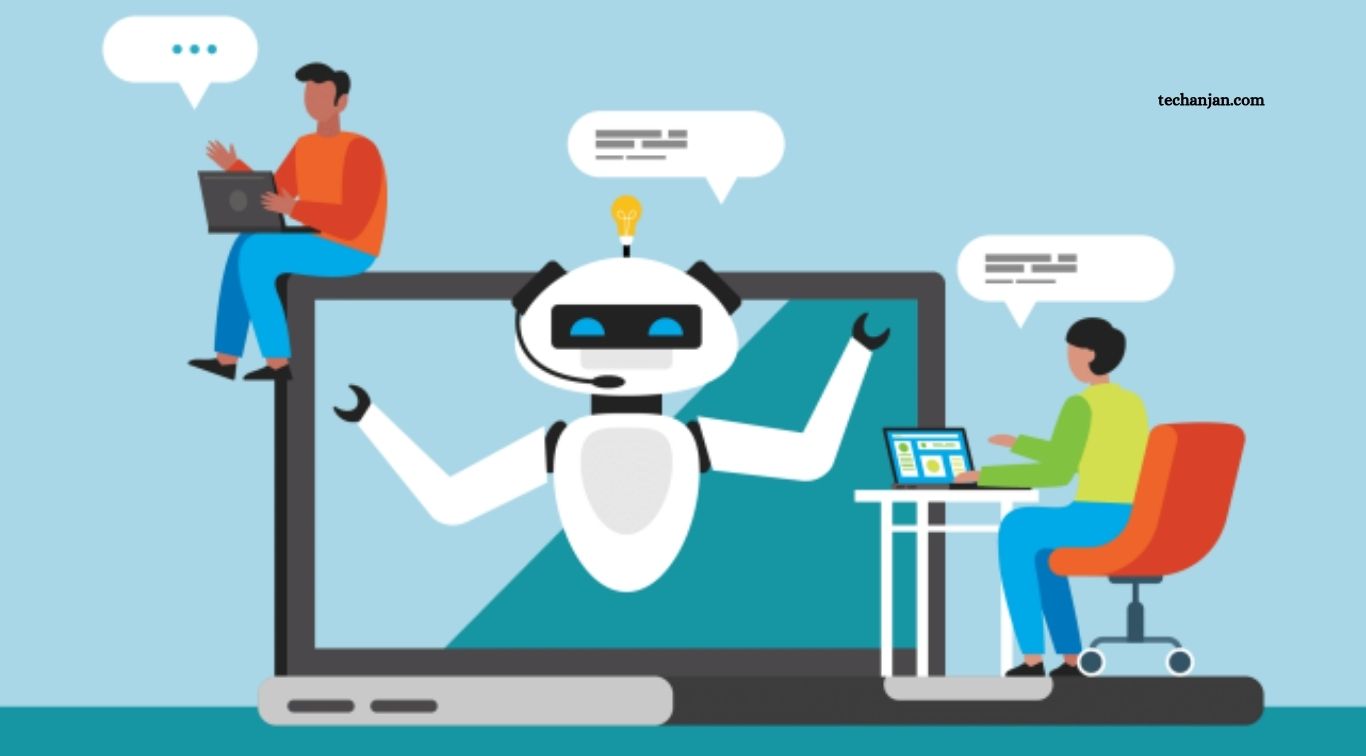
Artificial intelligence is changing how people manage their time, complete tasks, and organize their work. From drafting emails and summarizing documents to analyzing data and planning projects, AI tools can help individuals and businesses handle everyday responsibilities more efficiently. Instead of spending hours on repetitive activities, people can use AI to speed up routine work, explore ideas, and focus on tasks that require creativity, communication, and decision-making.
However, getting better results from AI requires more than simply choosing a popular tool. The real benefits come from understanding which tasks to delegate, providing clear instructions, checking the results, and integrating AI into existing workflows. Whether you are a student, freelancer, employee, entrepreneur, or business owner, learning how to use AI effectively can help you save time and improve the quality of your work without losing control over important decisions.
Read More: AI Chatbots Explained: Everything You Need to Know
Automate Repetitive Tasks With AI
One of the most practical ways to boost productivity with AI is to reduce the time spent on repetitive tasks. Many people regularly perform activities such as sorting information, formatting documents, writing routine messages, organizing notes, and preparing standard reports. AI assistants can help draft content, categorize information, extract key details, and create reusable templates. When these activities take less time, people can direct more attention toward work that requires deeper thinking or personal interaction.
Automation works best when the task follows a predictable process and the expected result is clear. For example, a business owner might use AI to prepare a first draft of weekly updates, while a project manager could turn meeting notes into a list of action items. More advanced automation tools can connect applications and move information between systems, depending on their supported integrations. Before automating an entire process, test it on a small scale and review the results to make sure mistakes are not repeated automatically.
Use AI to Improve Time Management
Managing time effectively involves deciding what matters most, estimating how long tasks will take, and avoiding unnecessary distractions. AI can support this process by helping users organize their schedules, break large projects into smaller steps, and identify realistic priorities. You can describe your deadlines, responsibilities, and available working hours to an AI assistant and ask it to propose a practical daily or weekly plan. The plan can then be adjusted to match your actual workload and personal preferences.
AI planning is most useful when it supports your judgment rather than controlling every part of your day. A generated schedule may overlook unexpected meetings, fatigue, or tasks that require more time than anticipated. Treat recommendations as a starting point, leave room for breaks, and reserve time for urgent requests. Combining AI-assisted planning with a calendar, task manager, or reminder system can make it easier to track commitments and maintain a consistent routine.
Create Better Content in Less Time
Writing is a major part of work for students, professionals, marketers, and business owners. AI writing assistants can help brainstorm ideas, prepare outlines, draft emails, summarize research, and improve the clarity of existing text. Instead of beginning with a blank page, users can provide their main points and ask for an initial structure. This approach can make writing projects feel more manageable and help people move quickly from planning to editing.
AI-generated writing should still be reviewed carefully before it is shared or published. A draft may contain inaccurate information, repetitive language, an unsuitable tone, or claims that need supporting evidence. The best workflow is to use AI for the first draft or targeted revisions, then apply human judgment to improve accuracy, originality, and style. For academic work, follow institutional rules on AI assistance. For business content, ensure that the final message reflects the organization’s standards and the intended audience.
Use AI for Research and Information Summaries
Research can consume a significant amount of time when information is spread across articles, reports, websites, and documents. AI tools can help users develop an initial overview, identify important themes, compare explanations, and summarize lengthy materials. Some research assistants provide links or citations that allow users to examine the original sources. These capabilities can make it easier to understand a new topic before deciding which information deserves closer attention.
Summaries are useful for orientation, but they should not replace reading important source material. AI may overlook qualifications, confuse details, or present an inaccurate interpretation. When researching a business decision, technical issue, or academic subject, verify important claims against reliable sources and check publication dates. Use primary documents where possible, especially for statistics, official policies, scientific findings, and financial information. This approach combines the speed of AI assistance with the reliability of careful research.
Boost Productivity in Emails and Communication
Workplace communication often takes longer than expected because messages need to be clear, polite, and appropriate for different audiences. AI can help draft emails, rewrite complicated sentences, prepare meeting agendas, and adjust the tone of a message. For example, you can provide the main points of an email and ask for a concise professional version. You can also use AI to turn rough notes into a clear project update or create a polite follow-up message.
The goal is to reduce drafting time without making communication sound impersonal. Review every message before sending it, especially when it involves sensitive topics, important commitments, customer complaints, or confidential information. AI may misunderstand the relationship between the sender and recipient or make promises you did not intend to make. Use generated drafts as editable suggestions, and keep your own voice in conversations where trust, empathy, and personal judgment matter.
Make Meetings More Efficient With AI
Meetings can generate valuable ideas, but they can also create a large amount of follow-up work. AI-enabled meeting tools may help transcribe discussions, summarize key points, identify decisions, and prepare action items. These features can reduce the time participants spend writing notes and make it easier to remember who is responsible for specific tasks. When integrated with a project management system, meeting summaries may also help teams maintain a clearer record of progress.
Before using AI during a meeting, check the organization’s policies and obtain any required consent from participants. Transcripts and summaries can contain confidential business information or personal details, so they should be stored and shared appropriately. AI-generated notes may also misinterpret speakers or miss important context. A participant should review the summary, correct errors, and confirm action items before treating them as an official record. Used carefully, AI can help teams spend less time documenting meetings and more time acting on their outcomes.
Improve Data Analysis and Decision-Making
AI tools can help users understand data by organizing information, explaining patterns, summarizing spreadsheets, and suggesting questions for further analysis. For example, a small business might use an AI assistant to examine sales figures, compare monthly performance, or identify products that deserve closer review. Employees can also use AI to explain unfamiliar formulas or generate an initial interpretation of a dataset, making analytical work more accessible to people without advanced technical skills.
Nevertheless, AI-generated analysis should be treated as a starting point rather than unquestionable evidence. Incorrect assumptions, missing data, and flawed calculations can produce misleading conclusions. Check formulas, confirm that the correct data has been used, and ask how an apparent pattern was identified. For financial, legal, medical, or other high-impact decisions, use qualified expertise and established review procedures. AI can help people explore information faster, but accountability for important decisions remains with the people and organizations involved.
Use AI to Support Learning and Skill Development
Learning new skills can improve productivity over the long term because it helps people solve problems independently and work more confidently. AI tutors and assistants can explain difficult concepts, create practice questions, provide feedback on drafts, and adapt explanations to different experience levels. Employees can use these tools to learn software, understand technical terminology, practice communication, or explore unfamiliar areas of their profession. Students can use them to review lessons and identify concepts that need more attention.
To get the most from AI-assisted learning, ask for explanations rather than simply requesting answers. You might ask an assistant to teach a concept step by step, provide an example, and then give you a practice question to solve independently. Check important information against trusted learning resources, and make sure you understand the material before applying it. AI is most valuable when it strengthens your abilities and independence rather than creating a habit of relying on instant answers.
Choose AI Tools That Fit Your Workflow
There is no single AI tool that is best for every productivity task. General assistants such as ChatGPT, Google Gemini, and Claude can support writing, brainstorming, explanations, and document work. Research-focused tools can help discover sources, design platforms can assist with visual content, and coding assistants can support software development. The right choice depends on your daily responsibilities, existing software, budget, and the type of results you need.
Start by identifying one task that takes too much time and test a tool designed to help with it. Compare the quality of its output, how much editing it requires, its usage limits, and whether it fits naturally into your workflow. Avoid subscribing to several tools before you understand their value. Also review privacy policies and workplace requirements before uploading documents or connecting accounts. A small, well-chosen set of tools is often more useful than a large collection that adds complexity.
Write Clear Prompts for Better Results
The quality of AI output often depends on the instructions provided. A vague request may produce a generic answer, while a specific prompt can give the assistant a clearer understanding of the task. Explain what you want to accomplish, provide relevant context, identify the intended audience, and specify the format. For example, instead of asking for help with a report, explain its purpose, the information it must include, and whether you need a summary, outline, or polished draft.
You can also improve results through follow-up questions. Ask the AI to shorten an answer, identify gaps, compare alternatives, or explain its assumptions. For complex work, divide the task into smaller stages, such as planning, drafting, checking, and editing. Do not assume that a confident response is necessarily correct. Clear prompts improve relevance, but human review is still needed to confirm accuracy, suitability, and completeness.
Protect Your Privacy When Using AI
Productivity gains should not come at the expense of data security. AI tools may process information that users enter, upload, or connect through external applications. Depending on the service and account settings, this information may be subject to different storage, access, and data-use practices. Before using AI for work, understand the relevant privacy controls and follow any policies established by your employer, school, or organization.
Avoid sharing passwords, authentication codes, private customer details, confidential contracts, or sensitive company information with unapproved tools. Where available, use approved business accounts and access controls, and remove unnecessary personal details before uploading documents. Check AI-generated content for accidental disclosure before sharing it with others. Good privacy practices make AI adoption more sustainable by helping users benefit from productivity tools while managing avoidable risks.
Measure Whether AI Actually Saves Time
Using AI does not automatically make every task faster. A tool may produce a quick first draft but require extensive editing, or it may introduce errors that take longer to correct than writing the content manually. To understand its real value, compare the time needed to complete a task before and after introducing AI. Consider not only speed but also accuracy, quality, consistency, and the effort required to review the result.
Start with a simple experiment involving one or two recurring tasks. Record how long they usually take, test an AI-assisted process for several attempts, and compare the outcomes. If the tool consistently saves time without reducing quality or increasing risk, it may be worth integrating into your routine. If it creates more work than it removes, revise the process or choose a different tool. The purpose of productivity technology is to improve outcomes, not simply to use more technology.
Frequently Asked Questions
How can AI improve productivity?
AI can help automate repetitive tasks, draft content, summarize information, organize schedules, support research, analyze data, and reduce the time needed for routine work.
What is the best AI tool for productivity?
The best tool depends on your needs. General assistants such as ChatGPT, Gemini, and Claude can support multiple tasks, while specialized tools may be better for research, design, or coding.
Can AI automate everyday work tasks?
Yes. AI can assist with tasks such as drafting emails, summarizing documents, categorizing information, and preparing reports. More advanced automation may connect supported applications and workflows.
Is AI useful for small businesses?
AI can help small businesses with customer communication drafts, marketing ideas, administrative tasks, research, and data analysis. Results should be reviewed, and confidential information must be handled carefully.
How can I use AI without losing accuracy?
Verify important facts, check calculations, review sources, and edit generated content before using it. Keep human oversight for sensitive, complex, or high-impact decisions.
Is it safe to upload work documents to AI tools?
It depends on the tool, account settings, document sensitivity, and applicable policies. Review privacy terms and use only approved services for confidential or sensitive information.
Conclusion
AI can boost productivity by helping people automate repetitive tasks, manage schedules, create content, research information, improve communication, analyze data, and learn new skills. It can reduce the effort needed to get started on complex work and help users organize information more effectively. However, meaningful improvements come from selecting the right tools, giving clear instructions, and integrating AI into workflows that already serve a practical purpose. The most effective approach is to begin with small, measurable improvements and expand only when the benefits are clear.

1 Comment
Pingback: Best AI Writing Tools for Content Creators - TechAnjan