Close Menu
TechAnjan

    Subscribe to Updates

    Get the latest creative news from FooBar about art, design and business.

    What's Hot

    AI vs Human Intelligence: Key Differences

    October 26, 2026

    Best AI Writing Tools for Content Creators

    October 25, 2026

    How to Use AI to Boost Productivity

    October 24, 2026
    Facebook X (Twitter) Instagram
    Trending
    • AI vs Human Intelligence: Key Differences
    • Best AI Writing Tools for Content Creators
    • How to Use AI to Boost Productivity
    • AI Chatbots Explained: Everything You Need to Know
    • Best AI Image Generators Compared
    • Top Free AI Tools for Students and Professionals
    • How Artificial Intelligence Is Changing Everyday Life
    • Best AI Tools You Should Try Today
    Instagram WhatsApp Telegram
    TechAnjan
    • Home
    • Technology
    • AI
    • Guides
    • Reviews
    TechAnjan
    Home»Guides»Google Pixel Watch 4 Introduces Gesture-Based Controls with Double Pinch and Wrist Turn
    Guides

    Google Pixel Watch 4 Introduces Gesture-Based Controls with Double Pinch and Wrist Turn

    JohnBy JohnDecember 25, 2025Updated:December 27, 2025No Comments3 Mins Read
    Facebook Twitter Pinterest LinkedIn Tumblr Email
    Share
    Facebook Twitter LinkedIn Pinterest Email

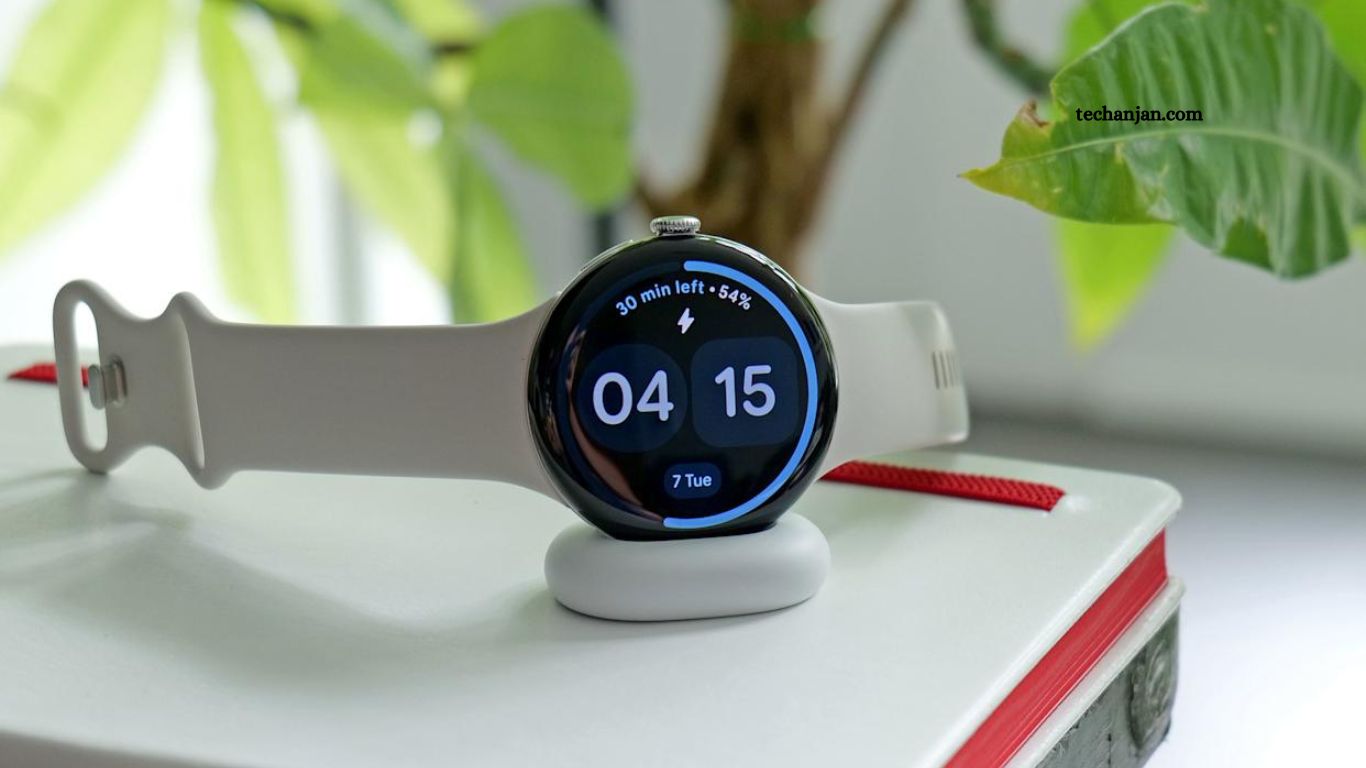
    Google has officially rolled out new gesture-based controls for the Pixel Watch 4, enhancing the wearable’s usability and one-handed functionality. Released just two months ago, the Pixel Watch 4 impressed early reviewers with its sleek design and comprehensive smartwatch features, but it lacked intuitive gesture interactions—a gap Google is now addressing.

    The latest update introduces double pinch and wrist turn gestures, allowing users to perform common actions like answering or ending calls, pausing timers, and dismissing notifications with simple hand movements. These gestures are designed to make interactions faster, more natural, and more accessible, while also providing on-screen hints and tutorials to guide users. This move aligns the Pixel Watch 4 more closely with competing smartwatches while enhancing its unique Google ecosystem integration.

    Read More: A Guide to Nvidia Chips at the Heart of the US-China AI Rivalry

    New Gesture Features: Double Pinch and Wrist Turn

    Among the most notable additions are double pinch and wrist turn, which allow users to interact with the watch more seamlessly. These gestures mirror some of the functionality seen on competing devices like the Apple Watch.

    • Double Pinch: Users can pinch their fingers together twice on the same hand to perform actions such as answering or ending calls, as well as pausing timers. The watch also provides on-screen “context hints” suggesting when this gesture can be used effectively.
    • Wrist Turn: This feature functions similarly to Apple’s wrist flick, letting users dismiss incoming calls or perform other actions with a simple turn of the wrist.

    Improving Existing Interactions

    The Pixel Watch 4 already offers gestures like scrolling through notifications by rotating the wrist and activating Gemini through the “raise to talk” motion. However, the latter has proven somewhat finicky, requiring precise movements from the watch’s homepage. Google plans to release a step-by-step tutorial to make this feature more accessible and easier to use.

    Frequently Asked Questions

    What new gestures are available?

    Double pinch and wrist turn.

    How does double pinch work?

    Pinch fingers twice to answer/end calls or pause timers.

    What does wrist turn do?

    Turn your wrist to dismiss calls or perform actions.

    Any improvements to existing gestures?

    Yes, Google added tutorials for “raise to talk” and refined scrolling gestures.

    Are these similar to Apple Watch features?

    Yes, double pinch mirrors double tap, and wrist turn mirrors wrist flick.

    How can I learn these gestures?

    Use on-screen hints and step-by-step tutorials from Google.

    Conclusion

    The Google Pixel Watch 4’s new double pinch and wrist turn gestures mark a significant step toward more intuitive, one-handed operation. By addressing previous limitations in gesture controls and providing helpful tutorials, Google enhances both convenience and usability. These updates bring the Pixel Watch closer to industry standards while maintaining its unique integration with Google services, offering users a smoother and more responsive wearable experience.

    Share. Facebook Twitter Pinterest LinkedIn Tumblr Email
    John

    Related Posts

    Before You Buy This $20K Home Robot, Here’s What You Need to Know

    December 28, 2025

    The Best Bluetooth and Wireless Keyboards

    December 27, 2025

    Best Wi-Fi Routers for 2025: Top Picks for Every Home Network

    December 26, 2025
    Leave A Reply Cancel Reply

    Live Search Results
    Top Posts

    Fixus Global Review: Insights Into Its Workflow

    January 18, 202682 Views

    Finch Review: Boosting Productivity Without the Shame Factor

    December 30, 202569 Views

    Essential News Mail Magazine Review Guide

    January 14, 202652 Views

    Google Pixel Watch 4 Introduces Gesture-Based Controls with Double Pinch and Wrist Turn

    December 25, 202538 Views

    Future Technology Predictions for the Next Decade in 2026

    September 5, 202633 Views

    Professional Top News Voice Review for Modern Readers

    January 19, 202629 Views

    The Best Bluetooth and Wireless Keyboards

    December 27, 202526 Views

    Review: Tech Daffer’s Expertise and Latest Updates

    February 21, 202624 Views
    About Us

    TechAnjan delivers latest technology news, AI insights, detailed guides, and unbiased reviews. Simplifies complex tech concepts, provides actionable information, informs readers about innovations shaping digital world, empowers smarter decisions, ensures staying ahead in technology. #TechAnjan

    Most Popular

    Fixus Global Review: Insights Into Its Workflow

    January 18, 202682 Views

    Finch Review: Boosting Productivity Without the Shame Factor

    December 30, 202569 Views
    Contact Us
    Facebook X (Twitter) Instagram Pinterest
    • Home
    • About Us
    • Contact Us
    • Disclaimer
    • Privacy Policy
    • Terms and Conditions
    Copyright © 2025 | All Rights Reserved | TechAnjan

    Type above and press Enter to search. Press Esc to cancel.